Media

Color Picker

Pick and adjust colors using visual controls.

Color Picker
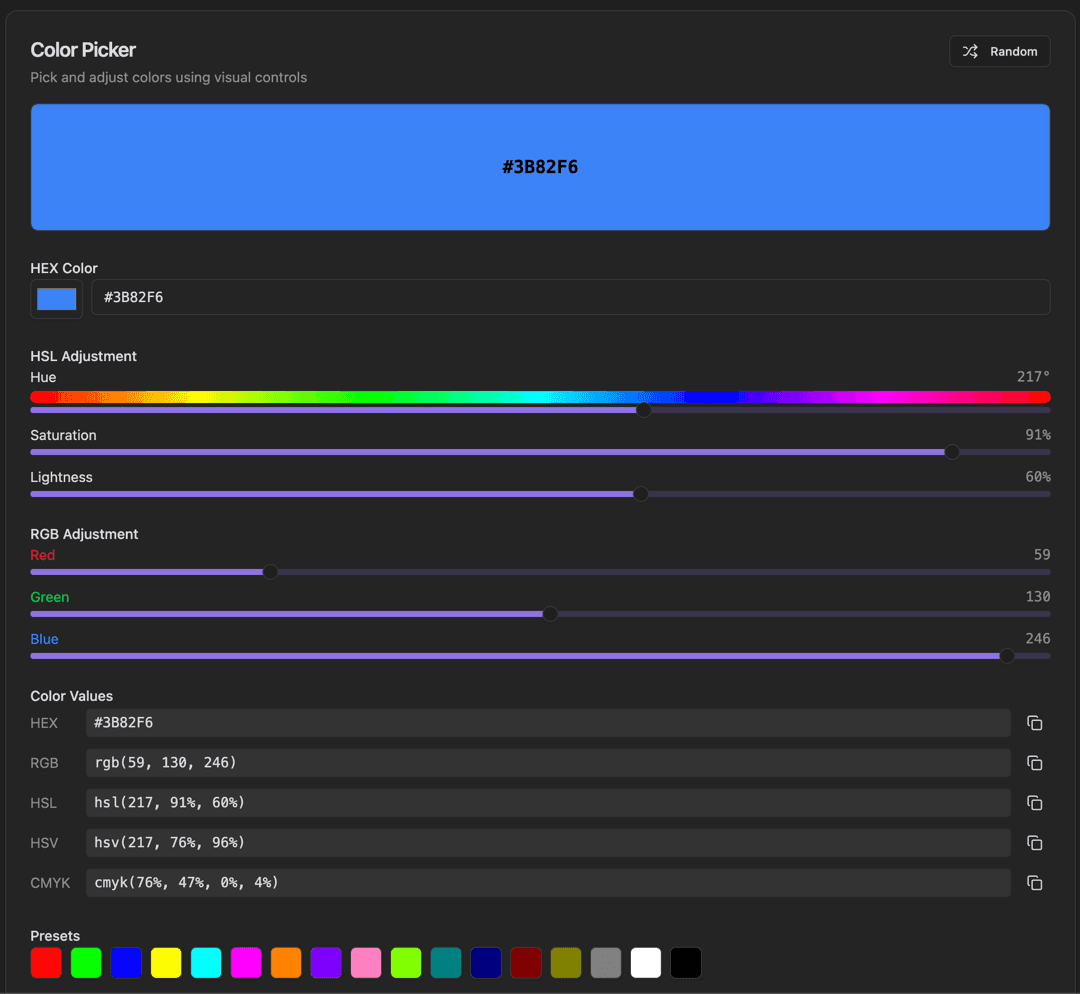
Color Picker interface showing random button for random colors and large color preview with hex code

Features

Random button for random colors
Large color preview with HEX code
HEX Color input with color swatch
HSL Adjustment sliders (Hue, Saturation, Lightness)
RGB Adjustment sliders (Red, Green, Blue)
Color Values: HEX, RGB, HSL, HSV, CMYK with Copy buttons
Presets color palette
Real-time preview

About Color Picker

A comprehensive color picker with visual controls for selecting the perfect color. Adjust colors using HSL and RGB sliders, see a large color preview, and copy values in any format (HEX, RGB, HSL, HSV, CMYK). Includes color presets for quick selection.

How It Works

  1. 1

    Click Random for a random color, or enter a HEX value

  2. 2

    Use HSL sliders to adjust Hue, Saturation, and Lightness

  3. 3

    Use RGB sliders to adjust Red, Green, and Blue values

  4. 4

    View the color in all formats in the Color Values section

  5. 5

    Click a Preset color to quickly select common colors

Use Cases

Selecting colors for web design
Finding the perfect shade
Creating color palettes
Checking color accessibility
Adjusting colors with precision
Converting colors between formats

Frequently Asked Questions

What's the difference between HSL and HSV?
HSL (Hue, Saturation, Lightness) and HSV (Hue, Saturation, Value) are similar but differ in how they represent brightness. HSL is often preferred for web design as it aligns with CSS syntax.
How do I check color accessibility?
The tool shows WCAG contrast ratios when you select background and foreground colors. It indicates whether color combinations meet AA or AAA accessibility standards.
Can I save colors for later?
The tool maintains a history of recent colors. You can also use the preset palettes for common colors.

Ready to Use Color Picker?

Download PrimeUtils and get access to Color Picker plus 20+ other developer tools.