Media

EXIF Viewer/Editor

View and edit image EXIF metadata.

EXIF Viewer/Editor
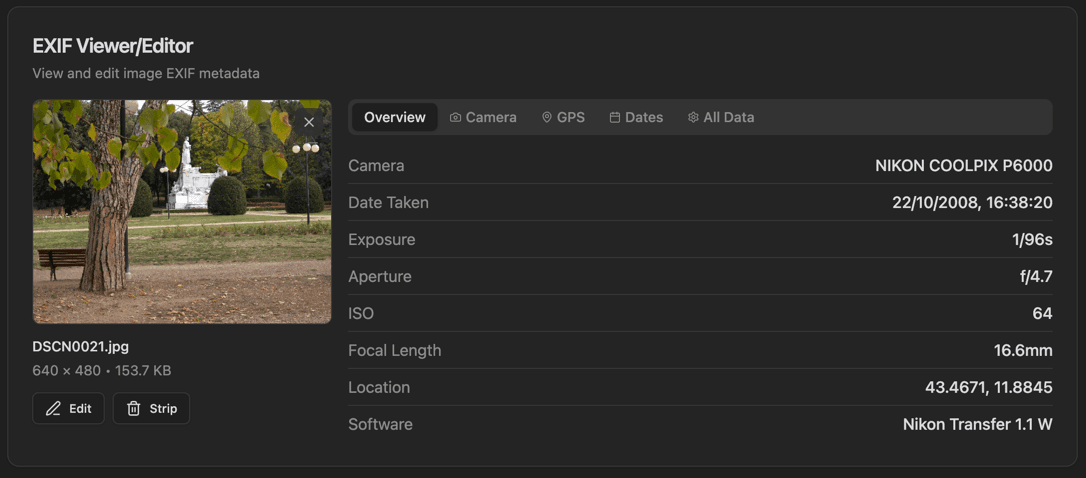
EXIF Viewer/Editor interface showing image thumbnail preview and filename, dimensions, and size display

Features

Image thumbnail preview
Filename, dimensions, and size display
Edit and Strip buttons
Tabs: Overview, Camera, GPS, Dates, All Data
Overview shows Camera, Date Taken, Exposure, Aperture, ISO, etc.
GPS coordinates display
Focal Length and Software info
Strip metadata for privacy

About EXIF Viewer/Editor

EXIF (Exchangeable Image File Format) metadata contains valuable information about how a photo was taken. This viewer/editor extracts and displays metadata organized in tabs: Overview, Camera, GPS, Dates, and All Data. Edit metadata or strip it completely for privacy.

How It Works

  1. 1

    Drop an image or use the file picker

  2. 2

    View the image thumbnail with filename, dimensions, and size

  3. 3

    Switch between tabs to see different metadata categories

  4. 4

    Click Edit to modify metadata fields

  5. 5

    Click Strip to remove all metadata for privacy

Use Cases

Viewing camera settings for a photo
Finding where a photo was taken (GPS)
Checking image timestamps
Removing metadata before sharing
Photography analysis and learning
Digital forensics

Frequently Asked Questions

What image formats are supported?
JPEG and TIFF images typically contain EXIF data. PNG, WebP, and other formats may have limited or different metadata types. The tool shows all available metadata for any image.
Can I remove GPS data for privacy?
Yes, you can strip GPS coordinates and other sensitive metadata with one click. This is recommended before sharing photos on social media.
Why does my image have no EXIF data?
Screenshots, images from the web, and some processed images often have their metadata stripped. Many social media platforms remove EXIF data when you upload.

Ready to Use EXIF Viewer/Editor?

Download PrimeUtils and get access to EXIF Viewer/Editor plus 20+ other developer tools.