Time

Cron Expression Parser

Parse cron expressions and view scheduled run times.

Cron Expression Parser
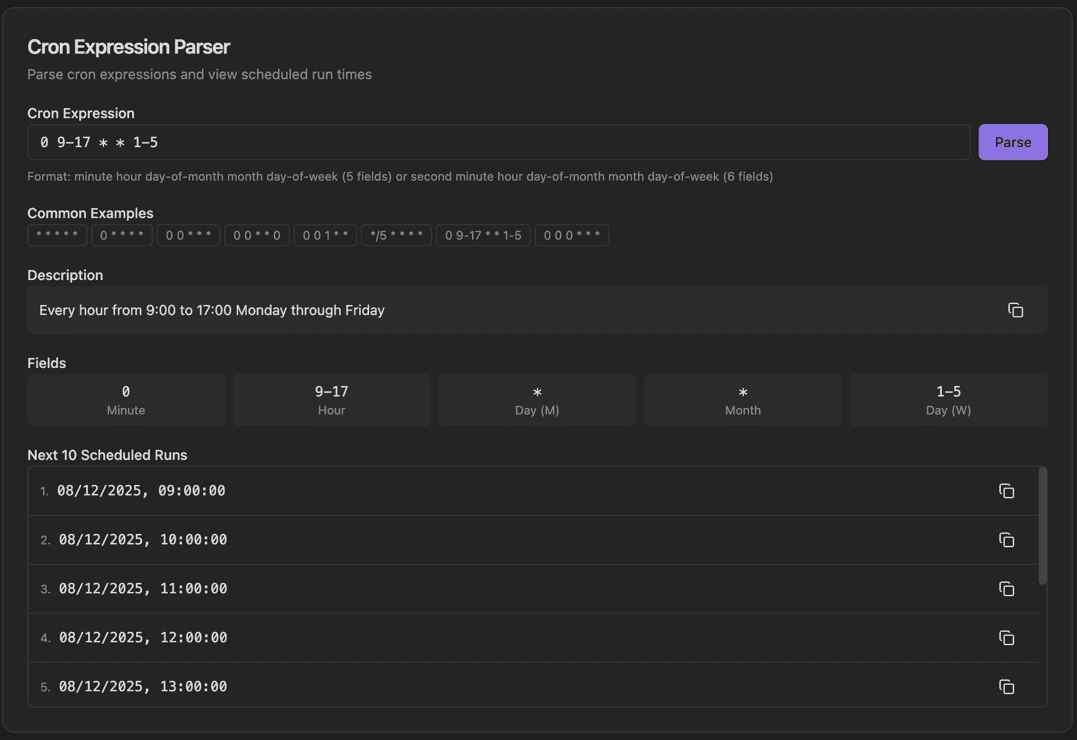
Cron Expression Parser interface showing cron expression input field and parse button

Features

Cron Expression input field
Parse button
Format hint for 5 or 6 field cron
Common Examples chips
Plain English Description
Fields breakdown (Minute, Hour, Day, Month, Day of Week)
Next 10 Scheduled Runs with Copy buttons
Expression validation

About Cron Expression Parser

Cron expressions define schedules for automated tasks. This parser translates cron expressions into plain English descriptions, breaks down each field, and shows the next scheduled run times. Common example expressions are provided as quick-start chips.

How It Works

  1. 1

    Enter a cron expression in the Cron Expression field

  2. 2

    Click a Common Examples chip to try a preset expression

  3. 3

    Click Parse to analyze the expression

  4. 4

    View the Description in plain English

  5. 5

    See the Fields breakdown and Next 10 Scheduled Runs

Use Cases

Validating cron schedules before deployment
Understanding existing cron expressions
Building new cron schedules
Debugging scheduled task timing
Documenting automation schedules
Learning cron syntax

Frequently Asked Questions

What cron format is supported?
The tool supports standard 5-field cron (minute, hour, day of month, month, day of week) and extended 6-field cron with seconds. Named days and months are supported.
What does '*/15' mean?
The '*/n' syntax means 'every nth value'. So '*/15' in the minute field means every 15 minutes (0, 15, 30, 45).
How do I run something at midnight?
'0 0 * * *' runs at midnight every day. The tool can help you build expressions for any schedule using the visual builder.

Ready to Use Cron Expression Parser?

Download PrimeUtils and get access to Cron Expression Parser plus 20+ other developer tools.