Time

Date/Time Formatter

Format dates in various standard formats.

Date/Time Formatter
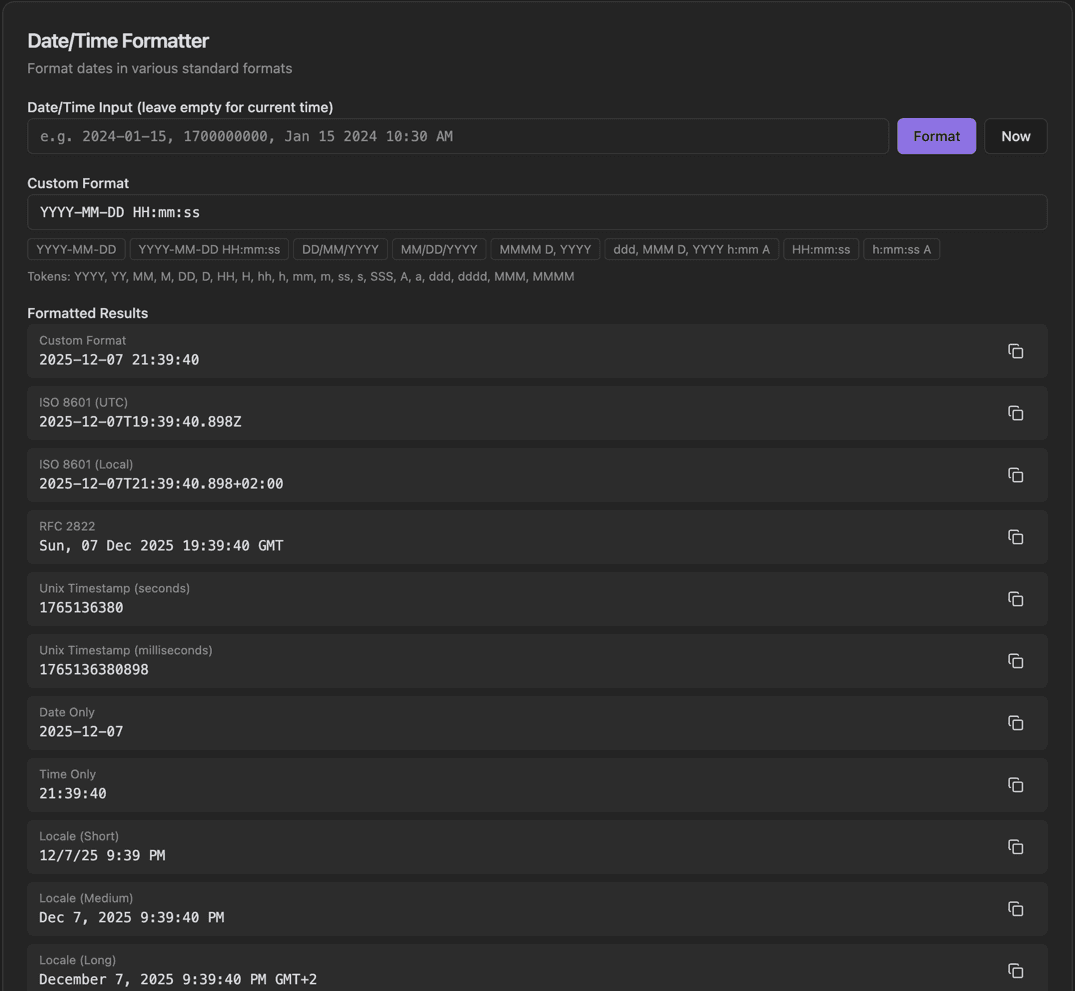
Date/Time Formatter interface showing date/time input field and format button

Features

Date/Time Input field
Format button
Now button for current time
Custom Format input with preset chips
Token reference guide
Formatted Results for multiple formats
ISO 8601 (UTC and Local), RFC 2822, Unix timestamps
Date Only, Time Only, Locale formats with Copy buttons

About Date/Time Formatter

Different systems and APIs expect dates in different formats. This tool formats a given date/time in multiple standard formats at once: ISO 8601, RFC 2822, Unix timestamps, locale formats, and custom patterns. Use format preset chips or enter your own custom format string.

How It Works

  1. 1

    Enter a date/time in the Input field or leave empty for current time

  2. 2

    Enter a Custom Format pattern or click a preset chip

  3. 3

    Click Format to see results, or Now for current time

  4. 4

    View Formatted Results in multiple standard formats

  5. 5

    Copy any format with the Copy button next to it

Use Cases

Formatting dates for API requests
Converting between date format standards
Learning date format patterns
Creating date strings for databases
Standardizing date formats in applications
Localized date display

Frequently Asked Questions

What format tokens are supported?
Common tokens include YYYY (year), MM (month), DD (day), HH (hour), mm (minute), ss (second). The tool uses standard format string conventions compatible with most libraries.
What is ISO 8601?
ISO 8601 is the international standard for date and time representation (e.g., 2024-01-15T14:30:00Z). It's the recommended format for data interchange.
How do I format for different locales?
Select a locale to see dates formatted according to regional conventions. For example, US uses MM/DD/YYYY while Europe typically uses DD/MM/YYYY.

Ready to Use Date/Time Formatter?

Download PrimeUtils and get access to Date/Time Formatter plus 20+ other developer tools.