Time

Timezone Converter

Convert times between different timezones.

Timezone Converter
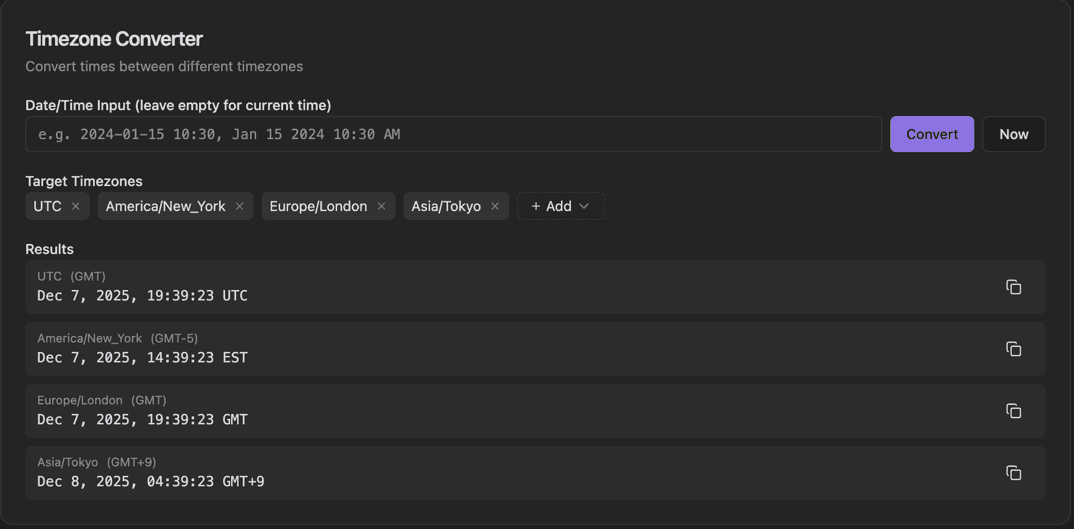
Timezone Converter interface showing date/time input field and convert button

Features

Date/Time Input field
Convert button
Now button for current time
Target Timezones chips with remove (×)
+ Add button to add more timezones
Results for each timezone with Copy buttons
Daylight saving time handling
Major timezones support

About Timezone Converter

Working across timezones is a daily challenge for distributed teams. This converter shows the time in multiple timezones at once. Add target timezones as chips, enter a date/time or use current time, and see the equivalent time in each selected zone.

How It Works

  1. 1

    Enter a date/time in the Input field or leave empty for current time

  2. 2

    Click + Add to add target timezones

  3. 3

    Click Convert to see the time in all selected zones

  4. 4

    Use Now to convert the current time

  5. 5

    Copy any result with the Copy button next to it

Use Cases

Scheduling international meetings
Coordinating with remote team members
Planning international calls
Travel time planning
Understanding API time responses
Global event coordination

Frequently Asked Questions

Does it handle daylight saving time?
Yes, the converter automatically accounts for DST rules in each timezone. It uses the IANA timezone database for accurate conversions year-round.
How many timezones can I compare at once?
You can add as many timezones as you need for comparison. The most common use case is comparing 3-5 zones for international team coordination.
Why do some places have unusual offsets like +5:30?
Some countries use half-hour or quarter-hour offsets (like India at +5:30 or Nepal at +5:45). The tool supports all standard offsets.

Ready to Use Timezone Converter?

Download PrimeUtils and get access to Timezone Converter plus 20+ other developer tools.