Text / Code

CSV Compare

Compare two CSV files and find differences with row matching and column selection.
CSV Compare
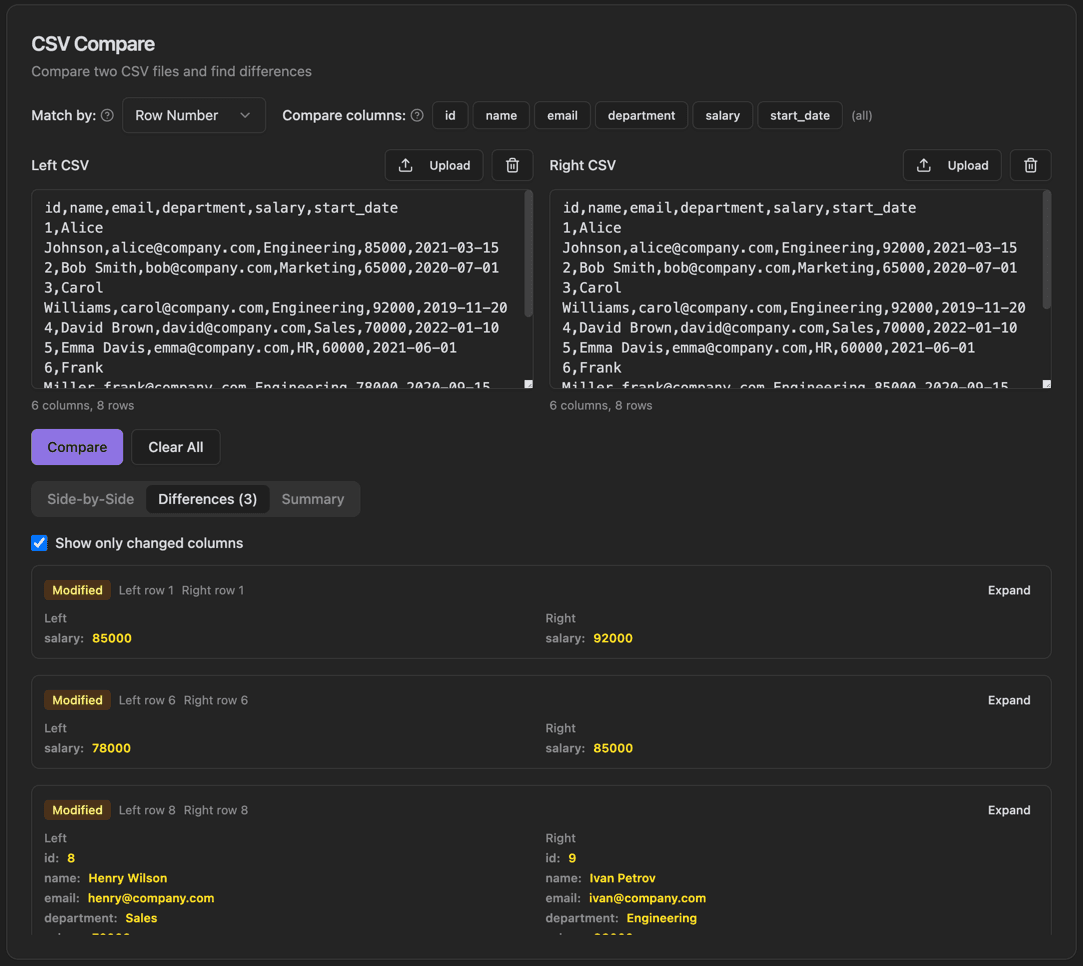
CSV Compare interface showing match by row number or key column and select specific columns to compare

Features

Match by row number or key column
Select specific columns to compare
Side-by-side and differences view tabs
Summary tab with change statistics
Show only changed columns filter
Upload CSV files or paste data
Expandable diff details per row
Modified/Added/Deleted badges

About CSV Compare

CSV Compare helps you find differences between two CSV files. Choose how to match rows (by row number or key column), select which columns to compare, and instantly see what's changed. The tool shows modifications in a clear diff view with expandable details for each changed row.

How It Works

  1. 1

    Upload or paste CSV data into the Left and Right panels

  2. 2

    Select how to match rows using the 'Match by' dropdown

  3. 3

    Choose which columns to compare using the column chips

  4. 4

    Click Compare to find differences

  5. 5

    Switch between Side-by-Side, Differences, and Summary tabs to view results

Use Cases

Comparing database exports before and after migrations
Auditing changes in configuration files
Verifying data integrity between systems
Tracking changes in spreadsheet data over time
Quality assurance for data processing pipelines
Reconciling financial or inventory data

Frequently Asked Questions

What's the maximum file size supported?
CSV Compare can handle files up to several hundred megabytes. Performance depends on your system's memory, but most typical CSV files process instantly.
Can I compare files with different column orders?
Yes, the tool includes column mapping functionality that lets you match columns between files even when they're in different orders or have different names.
Does it work with semicolon or tab-delimited files?
Yes, the parser automatically detects common delimiters including commas, semicolons, tabs, and pipes. You can also manually specify the delimiter if needed.

Ready to Use CSV Compare?

Download PrimeUtils and get access to CSV Compare plus 20+ other developer tools.