Text / Code

JSON / YAML / XML

Convert between JSON, YAML, XML, and TOML data formats.
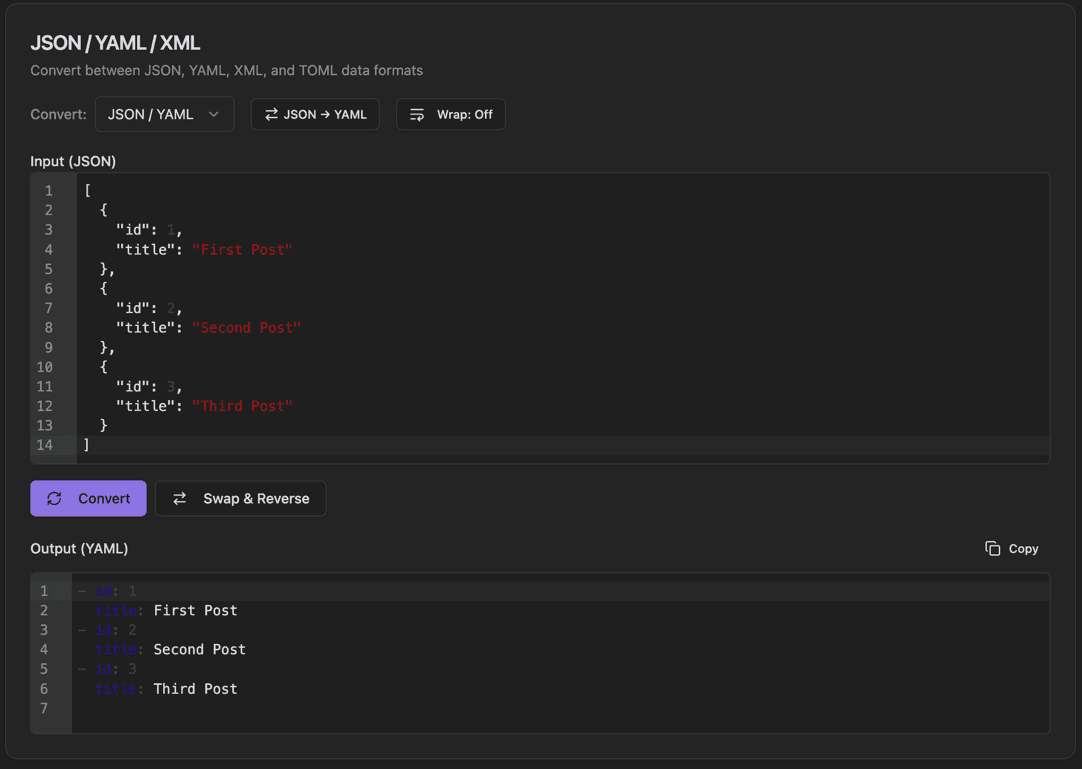
JSON / YAML / XML
JSON / YAML / XML interface showing convert dropdown (json/yaml, json/xml, etc.) and direction toggle button (e.g., json → yaml)

Features

Convert dropdown (JSON/YAML, JSON/XML, etc.)
Direction toggle button (e.g., JSON → YAML)
Wrap toggle button
Input with line numbers
Convert button
Swap & Reverse button
Output with Copy button
Syntax highlighting

About JSON / YAML / XML

Seamlessly convert data between JSON, YAML, XML, and TOML formats. Select the format pair from the dropdown, set the conversion direction, and transform your data with syntax highlighting and validation.

How It Works

  1. 1

    Select the format pair from the Convert dropdown

  2. 2

    Click the direction button to set conversion direction

  3. 3

    Paste your data in the Input area

  4. 4

    Click Convert to transform the data

  5. 5

    Use Swap & Reverse to exchange input/output and reverse direction

Use Cases

Converting API responses between formats
Migrating configuration files
Working with different system requirements
Data interchange between platforms
Converting legacy XML to modern JSON
Configuration file format changes

Frequently Asked Questions

Can all data be converted between formats?
Most data converts cleanly. Some format-specific features (like XML attributes or YAML anchors) may need special handling. The tool warns you about any conversion limitations.
How are XML attributes handled?
XML attributes are converted using a consistent convention (prefixed with @ or as special keys). You can choose your preferred attribute handling method.
Is the formatting preserved?
The tool reformats output according to each format's conventions. You can configure indentation and other formatting preferences.

Ready to Use JSON / YAML / XML?

Download PrimeUtils and get access to JSON / YAML / XML plus 20+ other developer tools.