CSV Compare
Compare two CSV files and find differences with row matching and column selection.
- Match by row number or key column
- Select specific columns to compare
Encode and decode text using Base58, Base32, or Hex (Base16).
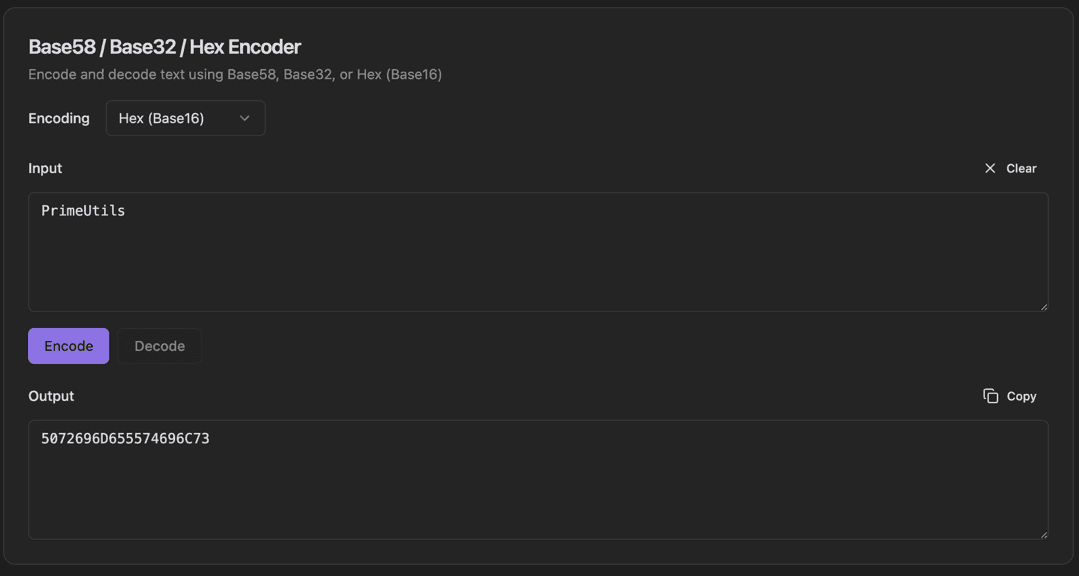
This encoding tool supports multiple encoding schemes commonly used in cryptography and blockchain applications. Select your encoding format from the dropdown, enter your text, and encode or decode with a single click. Base58 is used for Bitcoin addresses, Base32 for TOTP codes, and Hex for general binary data.
Select the Encoding format from the dropdown (Hex, Base32, or Base58)
Enter your text in the Input field
Click Encode to convert, or Decode to reverse
Use Clear to reset the input
Copy the output with the Copy button
Download PrimeUtils and get access to Base58 / Base32 / Hex Encoder plus 20+ other developer tools.