Text / Code

Code Formatter

Format and validate JSON, YAML, TOML, SQL, XML, HTML, and CSS.
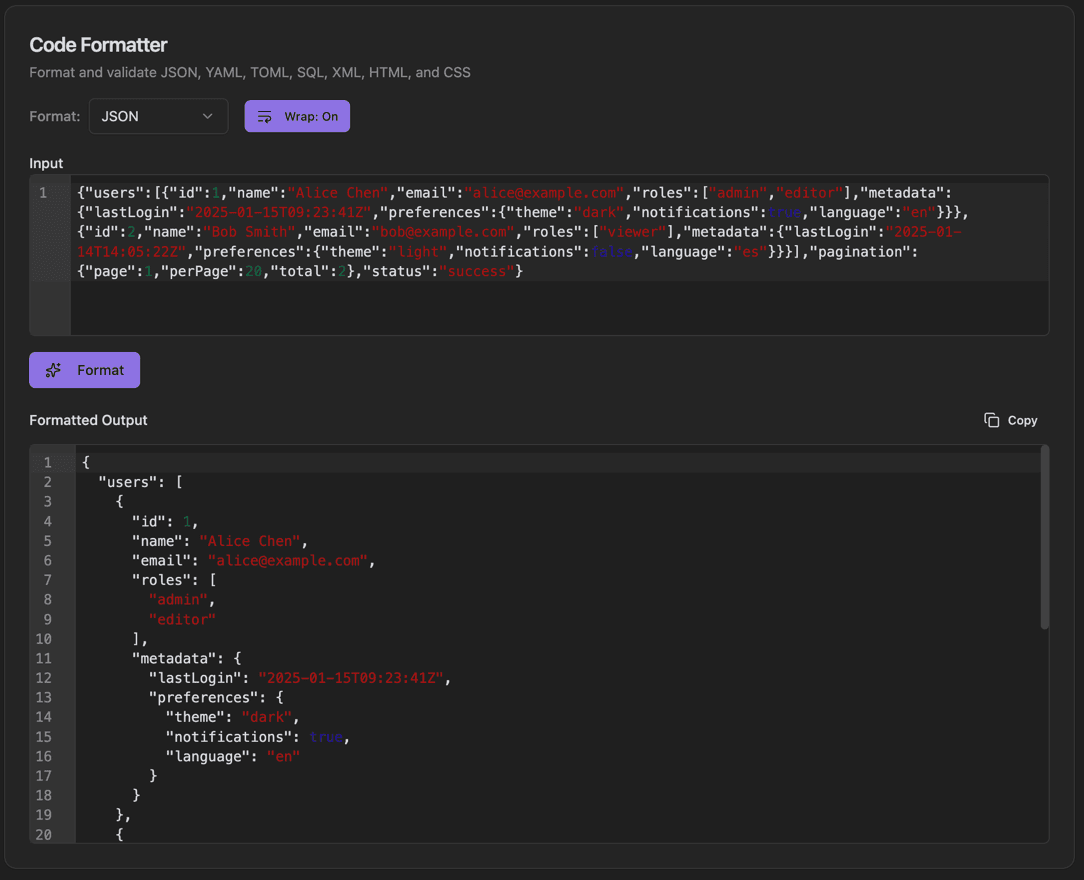
Code Formatter
Code Formatter interface showing format dropdown (json, yaml, toml, sql, xml, html, css) and wrap toggle button

Features

Format dropdown (JSON, YAML, TOML, SQL, XML, HTML, CSS)
Wrap toggle button
Input with line numbers
Syntax highlighting
Format button
Formatted Output area
Copy output to clipboard
Syntax validation

About Code Formatter

The Code Formatter beautifies and validates code across multiple languages and formats. Select your format from the dropdown, paste your code, and click Format to get clean, properly indented output with syntax highlighting.

How It Works

  1. 1

    Select the Format type from the dropdown (JSON, YAML, etc.)

  2. 2

    Paste your code in the Input area

  3. 3

    Toggle Wrap to control line wrapping

  4. 4

    Click Format to beautify the code

  5. 5

    Copy the Formatted Output with the Copy button

Use Cases

Formatting minified JSON/XML
Standardizing code style across a team
Making config files readable
Debugging malformed data
Preparing code for documentation
Cleaning up generated code

Frequently Asked Questions

What languages are supported?
Currently supported: JSON, YAML, TOML, SQL, XML, HTML, and CSS. Each formatter uses language-specific rules for optimal output.
Does it validate the code?
Yes, the formatter validates syntax while processing. If there are errors, you'll see helpful error messages pointing to the problem location.
Can I minify instead of beautify?
Yes, a minify option is available for JSON, HTML, CSS, and XML to remove whitespace and reduce file size.

Ready to Use Code Formatter?

Download PrimeUtils and get access to Code Formatter plus 20+ other developer tools.