Text / Code

JWT Debugger

Decode, verify, and create JSON Web Tokens.

JWT Debugger
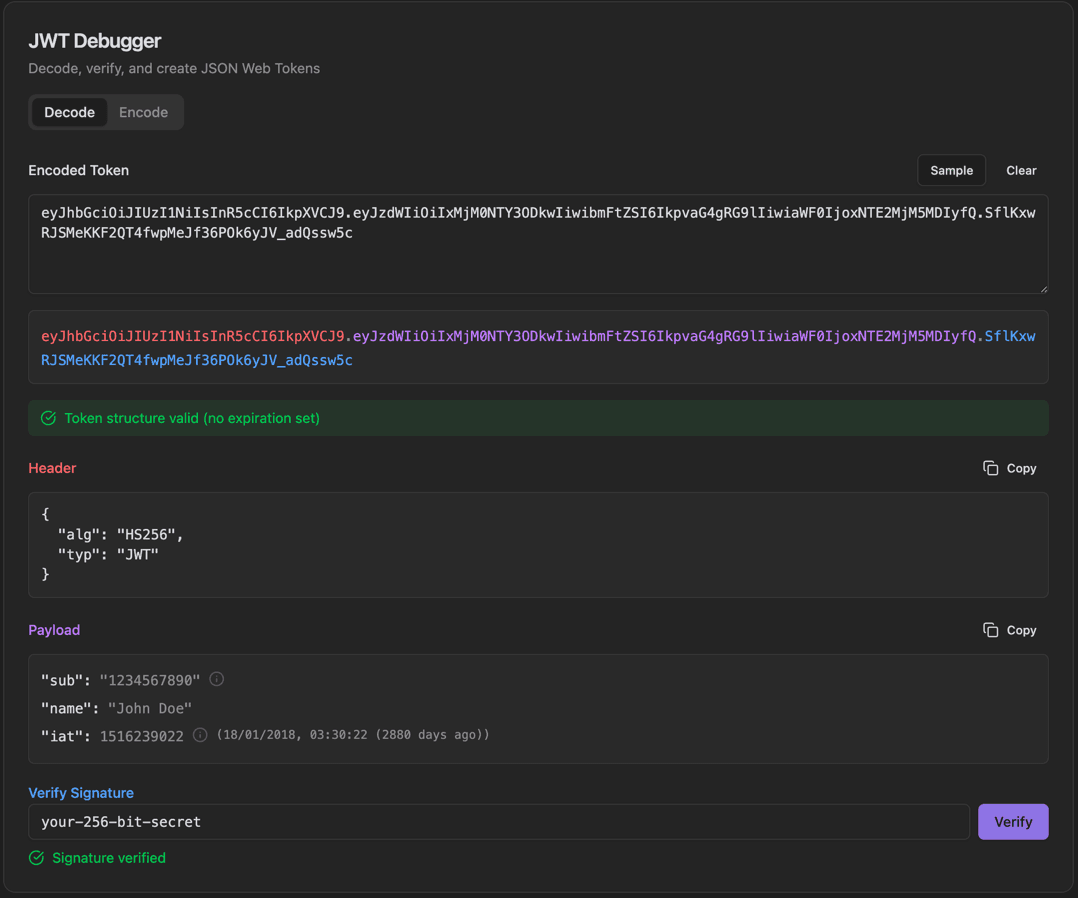
JWT Debugger interface showing decode/encode tabs and encoded token input with sample/clear buttons

Features

Decode/Encode tabs
Encoded Token input with Sample/Clear buttons
Color-coded token display (header.payload.signature)
Token structure validation status
Header section with Copy button
Payload section with claim timestamps
Verify Signature with secret input
Signature verification status

About JWT Debugger

JSON Web Tokens (JWT) are the standard for secure information exchange in modern web applications. This debugger decodes tokens to show header and payload, verifies signatures with a secret key, and displays token validity status with human-readable timestamps.

How It Works

  1. 1

    Paste a JWT token in the Encoded Token field or click Sample

  2. 2

    The token is automatically decoded and color-coded

  3. 3

    View Header and Payload sections with Copy buttons

  4. 4

    Enter the secret in Verify Signature and click Verify

  5. 5

    Switch to Encode tab to create new tokens

Use Cases

Debugging authentication issues
Inspecting token claims and expiration
Verifying token signatures
Creating test tokens
API development and testing
Security auditing

Frequently Asked Questions

What JWT algorithms are supported?
The tool supports HMAC (HS256, HS384, HS512), RSA (RS256, RS384, RS512), ECDSA (ES256, ES384, ES512), and EdDSA algorithms for signature verification.
Can I edit and re-sign tokens?
Yes, you can modify the header or payload, then provide a secret or key to generate a new valid signature. This is useful for testing different token configurations.
How do I know if a token is expired?
The tool automatically checks the 'exp' claim and displays a warning if the token is expired. It also shows the exact expiration time in a readable format.

Ready to Use JWT Debugger?

Download PrimeUtils and get access to JWT Debugger plus 20+ other developer tools.