Text / Code

Markdown Editor

Edit, format and preview Markdown with live rendering.

Markdown Editor
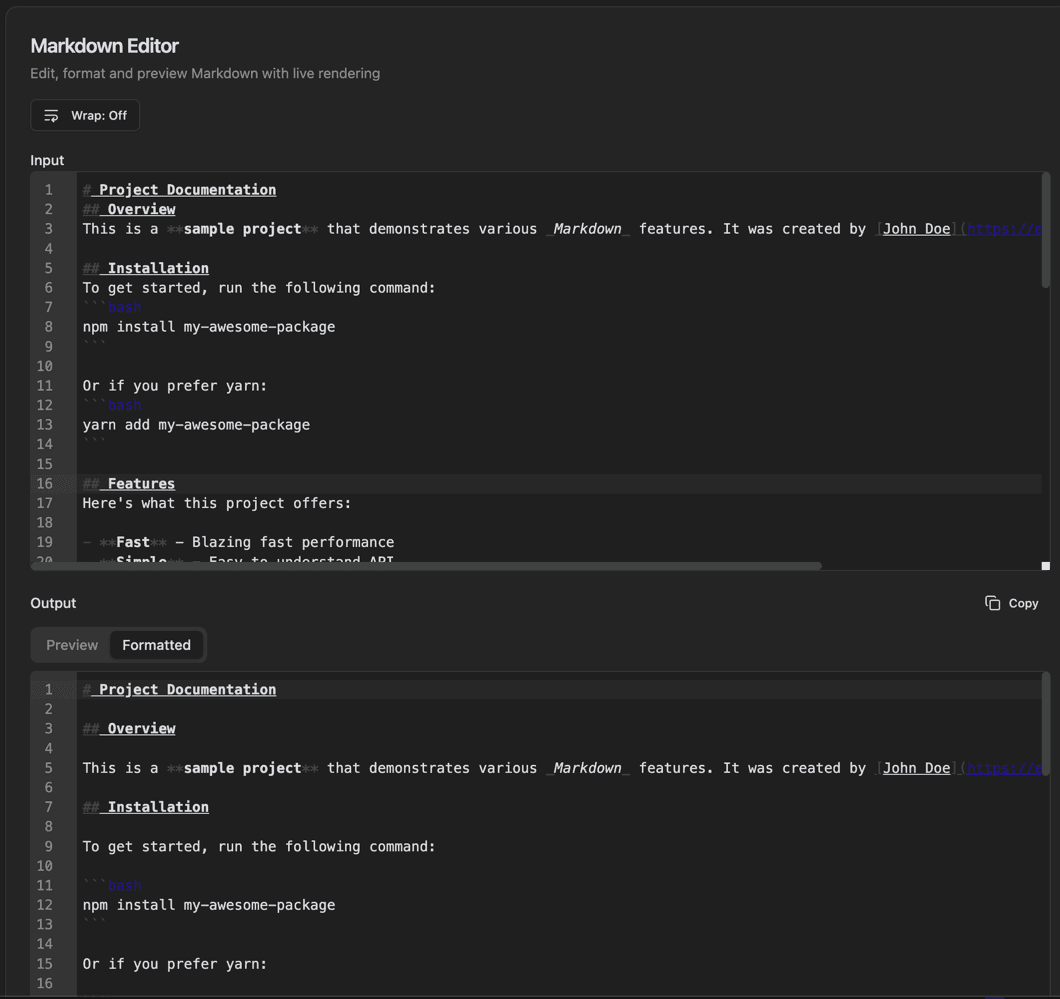
Markdown Editor interface showing input pane with line numbers and wrap toggle button

Features

Input pane with line numbers
Wrap toggle button
Live preview rendering
Output with Preview/Formatted tabs
Copy button
GitHub Flavored Markdown support
Syntax-highlighted code blocks
Tables and task lists support

About Markdown Editor

A full-featured Markdown editor with real-time preview rendering. Write documentation, README files, or notes using GitHub Flavored Markdown (GFM) syntax. See your formatted output instantly with Preview and Formatted view tabs.

How It Works

  1. 1

    Type Markdown in the Input pane

  2. 2

    Toggle Wrap to control line wrapping

  3. 3

    View the rendered output in the Output pane

  4. 4

    Switch between Preview and Formatted tabs

  5. 5

    Copy the output with the Copy button

Use Cases

Writing README files
Creating documentation
Taking notes in Markdown
Drafting blog posts
Preparing GitHub issues and PRs
Writing technical specifications

Frequently Asked Questions

What is GitHub Flavored Markdown?
GFM extends standard Markdown with features like tables, task lists, strikethrough, and fenced code blocks. It's the Markdown variant used on GitHub and many other platforms.
Can I use syntax highlighting in code blocks?
Yes, specify the language after the opening fence (```javascript) to enable syntax highlighting. Most popular languages are supported.
Does it support images?
Yes, you can use standard Markdown image syntax or drag and drop images. Local images can be embedded as Base64 data URIs.

Ready to Use Markdown Editor?

Download PrimeUtils and get access to Markdown Editor plus 20+ other developer tools.