Text / Code

Python / JSON Converter

Convert between Python dict syntax and JSON.

Python / JSON Converter
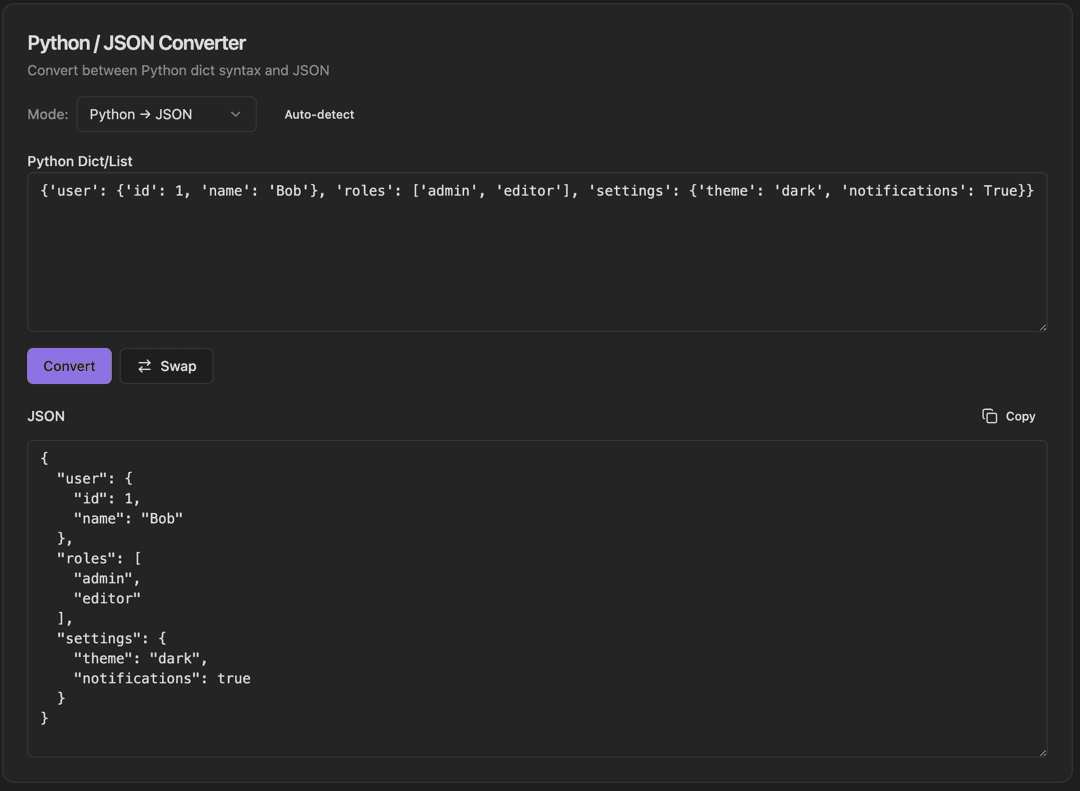
Python / JSON Converter interface showing mode dropdown (python → json, json → python) and auto-detect checkbox

Features

Mode dropdown (Python → JSON, JSON → Python)
Auto-detect checkbox
Python Dict/List input field
Convert button
Swap button to reverse conversion
JSON output with pretty formatting
Copy output to clipboard
Handles True/False/None conversion

About Python / JSON Converter

Python dictionaries and JSON objects are syntactically similar but have key differences. This converter handles True/False/None, single quotes, and other Python-specific syntax automatically. Use the Mode dropdown to set direction or enable Auto-detect.

How It Works

  1. 1

    Select Mode (Python → JSON or JSON → Python) or enable Auto-detect

  2. 2

    Paste Python dict or JSON in the input field

  3. 3

    Click Convert to transform the data

  4. 4

    Use Swap to reverse input and output

  5. 5

    Copy the formatted result with the Copy button

Use Cases

Converting Python debug output to JSON
Preparing Python data for API requests
Debugging JSON parsing issues in Python
Converting API responses for Python use
Data science workflow integration
Configuration file conversion

Frequently Asked Questions

How are Python booleans handled?
Python's True and False are converted to JSON's lowercase true and false. Similarly, None is converted to null. The reverse conversion also works seamlessly.
Does it handle single quotes?
Yes, Python often uses single quotes for strings, while JSON requires double quotes. The converter handles this automatically in both directions.
What about trailing commas?
Python allows trailing commas in dicts and lists, but JSON doesn't. The tool removes trailing commas when converting to JSON and can add them when converting to Python if preferred.

Ready to Use Python / JSON Converter?

Download PrimeUtils and get access to Python / JSON Converter plus 20+ other developer tools.