Text / Code

Text Statistics

Count characters, words, sentences, paragraphs, and more.
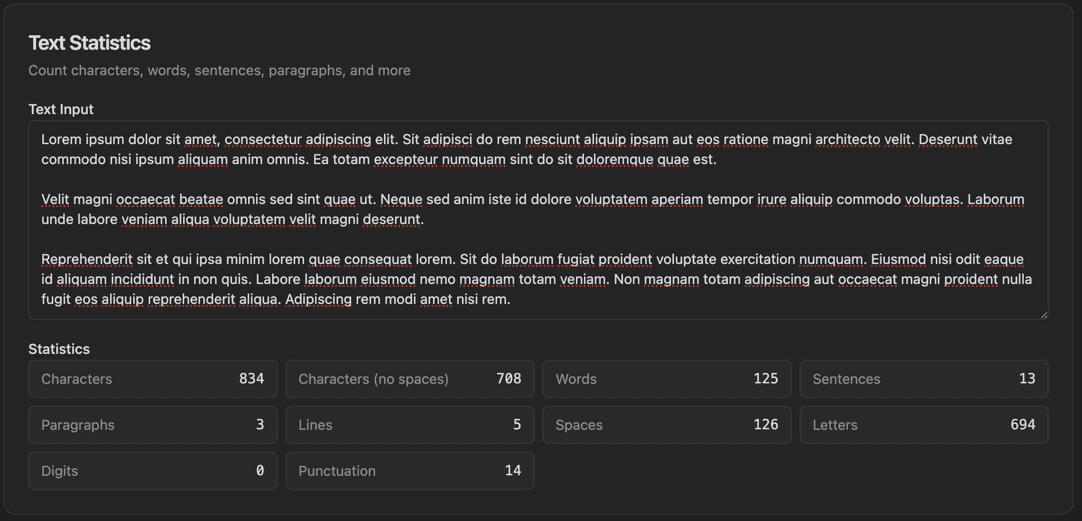
Text Statistics
Text Statistics interface showing text input area and characters count

Features

Text Input area
Characters count
Characters (no spaces) count
Words count
Sentences count
Paragraphs count
Lines count
Spaces, Letters, Digits, Punctuation counts

About Text Statistics

Text Statistics analyzes your text and displays comprehensive statistics in real-time. See character counts (with and without spaces), words, sentences, paragraphs, lines, spaces, letters, digits, and punctuation marks all at once.

How It Works

  1. 1

    Paste or type your text in the Text Input area

  2. 2

    Statistics update instantly as you type

  3. 3

    View the Statistics grid showing all counts

  4. 4

    Check Characters, Words, Sentences, Paragraphs

  5. 5

    See additional stats like Lines, Digits, and Punctuation

Use Cases

Meeting content length requirements
Preparing speeches and presentations
SEO content optimization
Academic writing requirements
Social media character limits
Analyzing writing patterns

Frequently Asked Questions

How is reading time calculated?
Reading time is calculated based on an average reading speed of 200-250 words per minute for adults. The estimate accounts for word complexity and text density.
Does it count spaces as characters?
The tool shows both counts: characters with spaces and characters without spaces. This helps when working with systems that have different character limit policies.
How accurate is the speaking time?
Speaking time is estimated at 130-150 words per minute, which is average conversational speed. Actual time may vary based on speaking style and pauses.

Ready to Use Text Statistics?

Download PrimeUtils and get access to Text Statistics plus 20+ other developer tools.