Text / Code

TOON Converter

Convert between JSON/YAML/XML/CSV and TOON (Token-Oriented Object Notation).
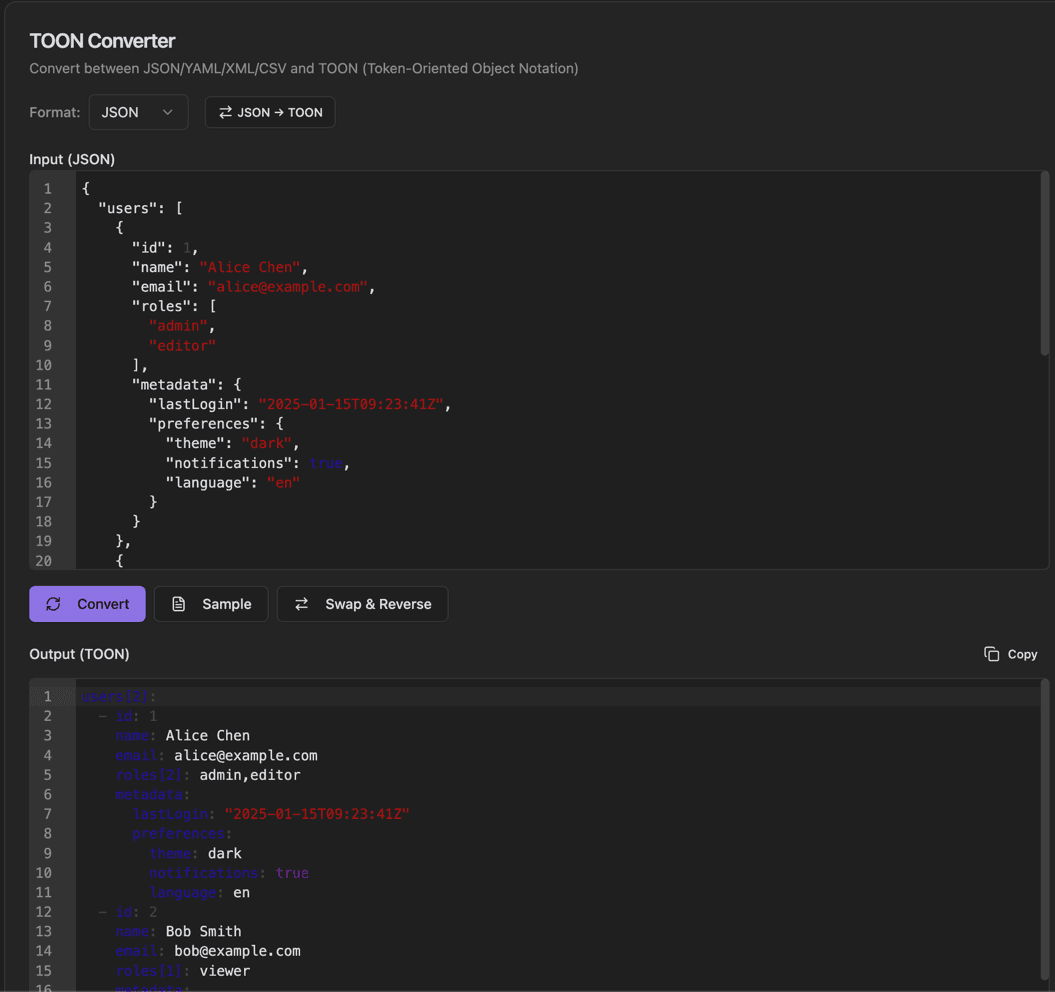
TOON Converter
TOON Converter interface showing format dropdown (json, yaml, xml, csv) and direction toggle button (e.g., json → toon)

Features

Format dropdown (JSON, YAML, XML, CSV)
Direction toggle button (e.g., JSON → TOON)
Input with syntax highlighting
Convert button
Sample button for example data
Swap & Reverse button
Output (TOON) with Copy button
Syntax validation

About TOON Converter

TOON (Token-Oriented Object Notation) is a human-friendly data format. This converter transforms data between TOON and other formats like JSON, YAML, XML, and CSV. Select the source format, set the direction, and convert with syntax highlighting.

How It Works

  1. 1

    Select the source Format from the dropdown (JSON, YAML, XML, CSV)

  2. 2

    Click the direction button to set conversion direction

  3. 3

    Paste your data or click Sample for example data

  4. 4

    Click Convert to transform the data

  5. 5

    Use Swap & Reverse to exchange input/output and reverse direction

Use Cases

Converting configurations to TOON format
Migrating from JSON/YAML to TOON
Working with TOON-based systems
Learning TOON syntax
Data format standardization
Configuration file conversion

Frequently Asked Questions

What is TOON format?
TOON is a data serialization format designed to be human-readable while maintaining strict parsing rules. It aims to combine the best aspects of JSON, YAML, and TOML.
Why use TOON over JSON or YAML?
TOON offers improved readability for complex nested structures while avoiding YAML's significant whitespace and JSON's verbosity. It's particularly good for configuration files.
Is TOON widely supported?
TOON is a newer format with growing adoption. This tool helps bridge the gap by providing easy conversion to more established formats when needed.

Ready to Use TOON Converter?

Download PrimeUtils and get access to TOON Converter plus 20+ other developer tools.